



Honeycomb Cooling & Perfect Fit: UGREEN 160W Charger DIY Stand Review
 10 Sep,2026
Introduction: When a Great Charger Still Clutters Your Desk
The UGREEN 160W screen-display GaN charger is a powerful four-port fast-charging device. With a visual power display and support for multiple devices simultaneously, it has become a mainstay for many desktop charging setups. However, when used flat on a desk, it still depends on a power strip for AC power. Charging several devices at once often leads to crowded plugs and tangled cables, undermining desk cleanliness.
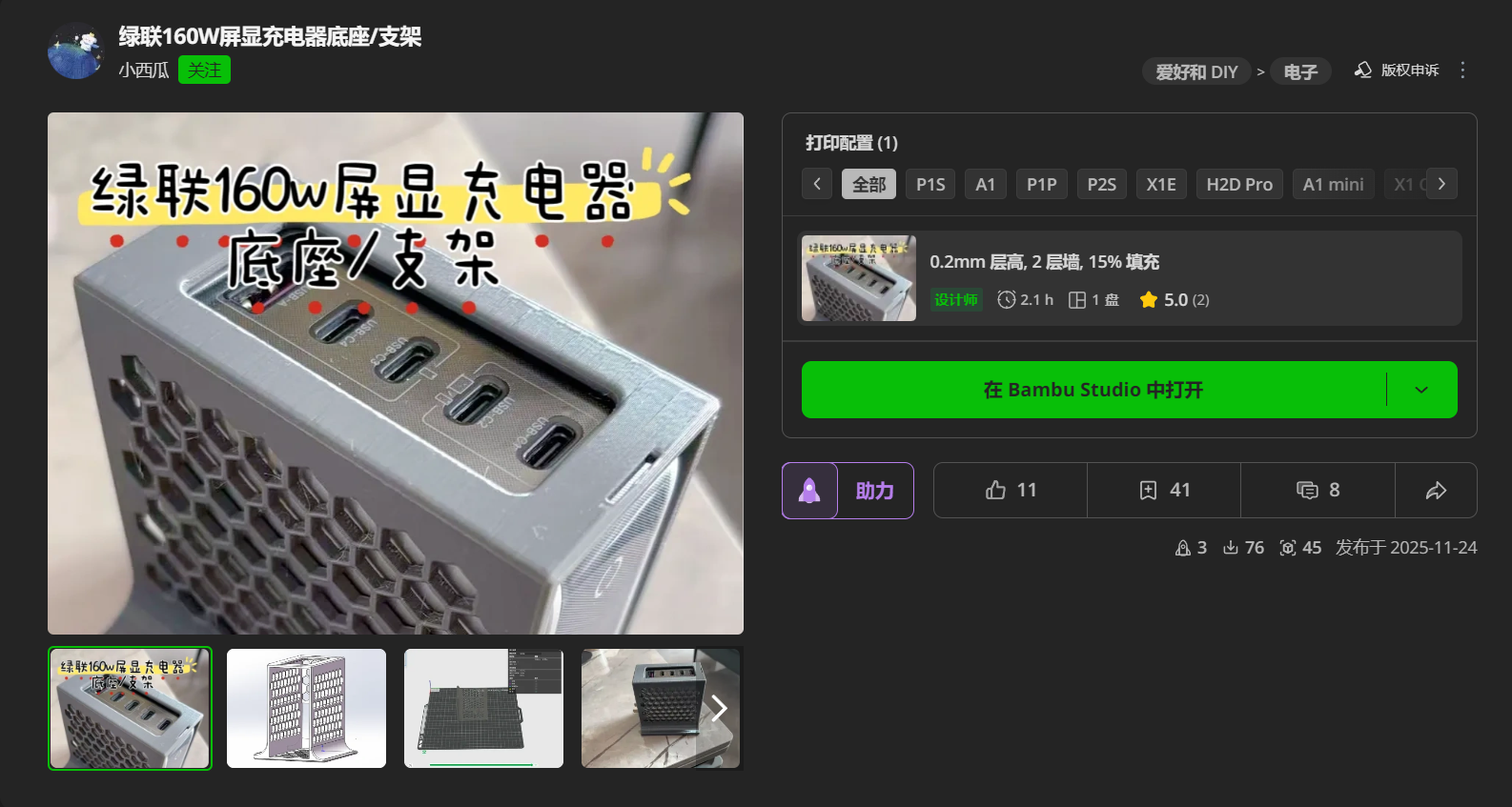
To solve this pain point, MakerWorld designer “Xiaoxigua” has open-sourced a dedicated vertical 3D-printed stand. The design uses a custom honeycomb hollow shell, switching the charger from horizontal to vertical. This improves heat dissipation while fully exposing the digital display. For a low-cost DIY modification, it eliminates the messy desktop caused by stacked power strips and creates a clean, organized fast-charging system where power status is easy to see.
Design and Print Details: A Custom Honeycomb Shell
The stand in this review was printed on a Bambu Lab H2S with a 0.4 mm nozzle. The entire 3D-printed vertical stand uses a honeycomb open-grid design. It is open on four sides while retaining enough structural rigidity.
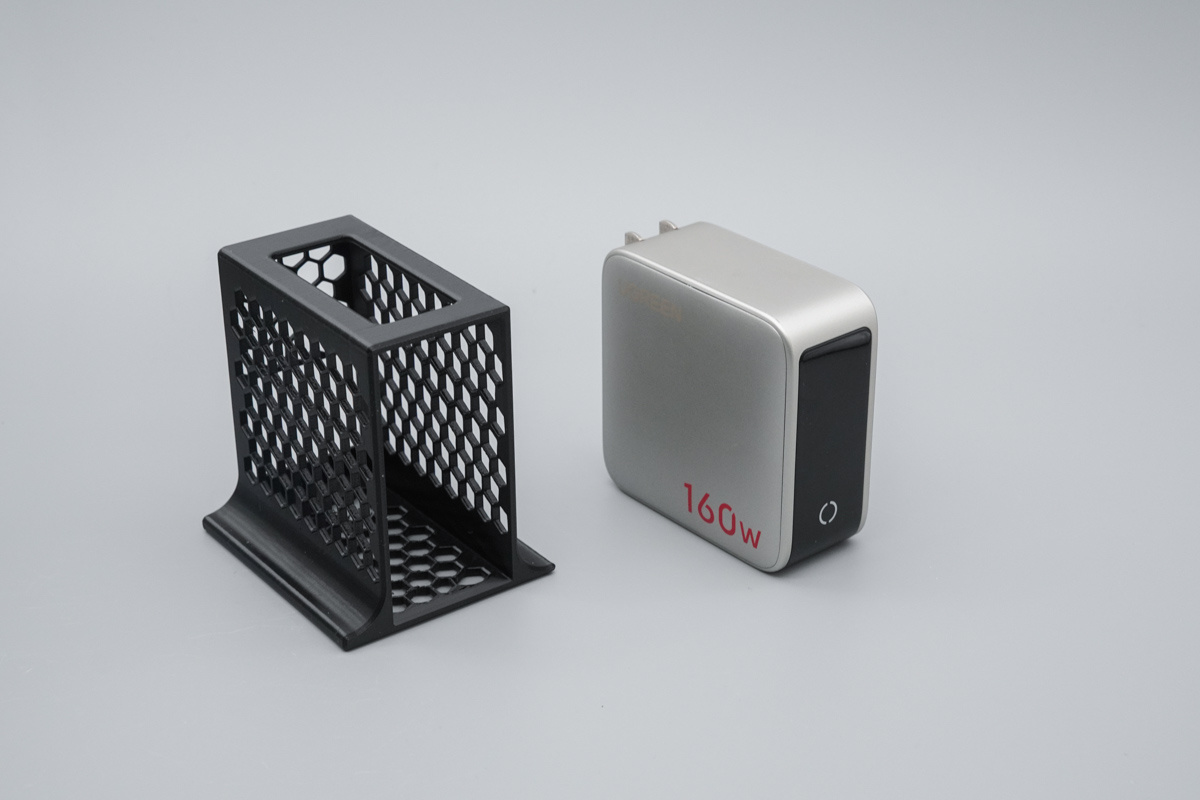
The inner cavity is specifically modeled for the UGREEN 160W screen-display charger. When placed side by side, the dimensions show a precise fit; the charger can be inserted vertically without wobbling. The front uses a split structure: honeycomb on the upper section and a large opening below. That lower window exactly clears the charger’s AC prongs and screen area, so nothing is blocked.
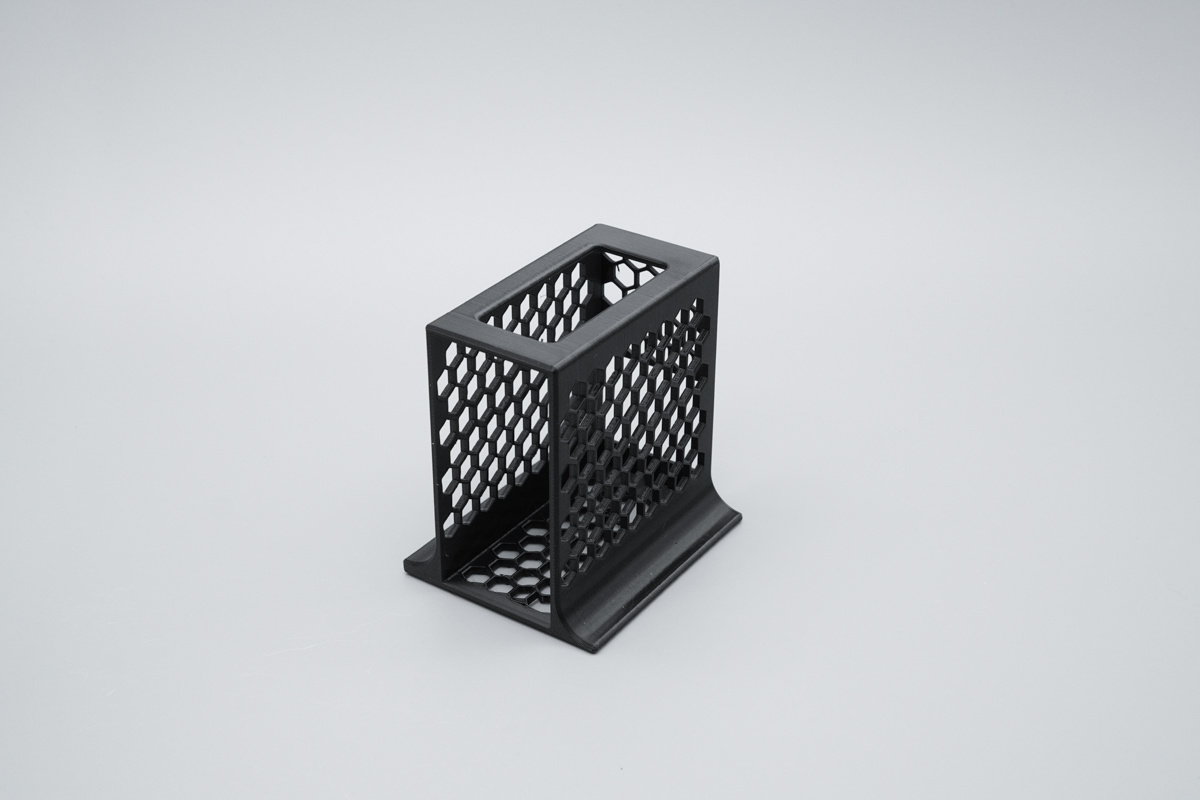
The back is a full honeycomb grid with dual rolled bottom edges. This reduces weight and provides anti-slip support for the charger. The result is a purpose-built accessory that looks integrated rather than generic.
Dimensions and Weight: Lightweight, Compact, Precise
Measured with calipers, the stand’s length is about 81.38 mm, matching the UGREEN 160W charger body length with impressive accuracy. The width is about 77.15 mm, leaving reasonable clearance inside the cavity so the charger slides in and out smoothly without jamming.
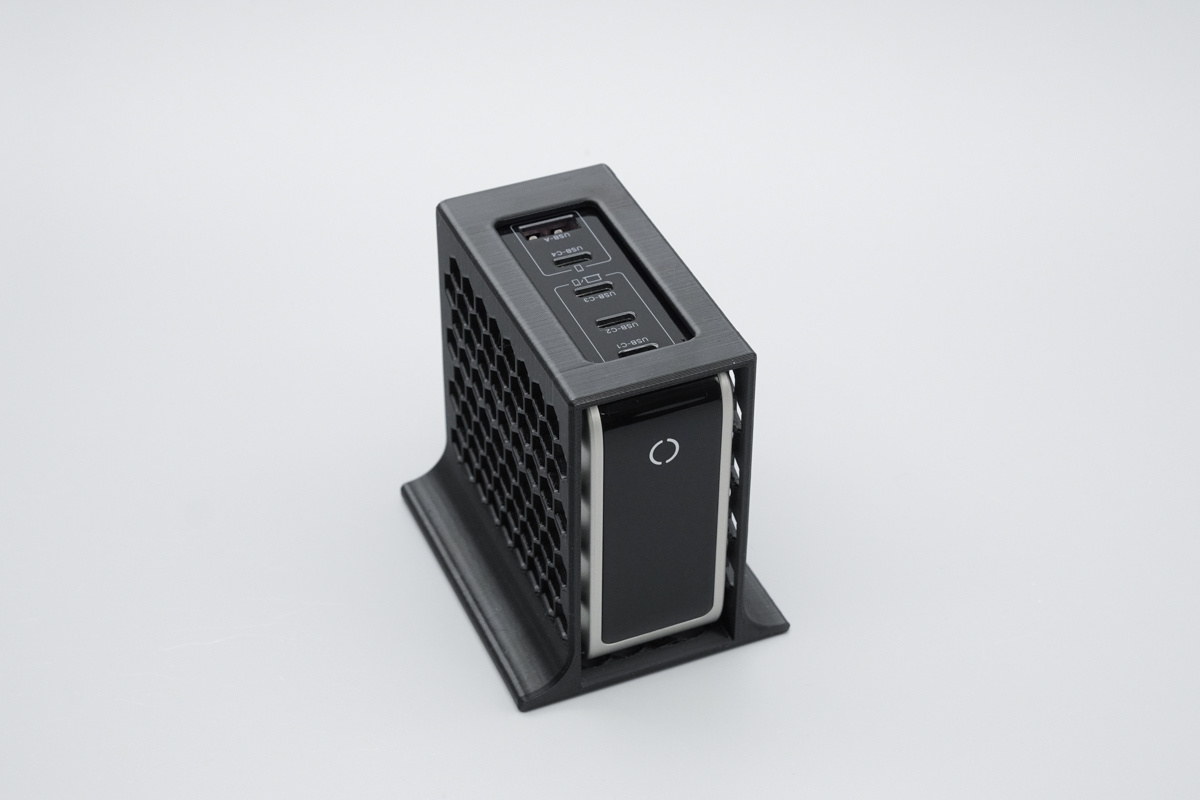
The height is about 40.77 mm. When placed vertically, the charger body rises above the stand, making the screen data easier to observe. The stand’s net weight is only 32.4 g. The honeycomb cutouts deliver a significant lightweight effect. It is almost unnoticeable when carried. You can lift it with one hand, and its small footprint does not take up much desk space. For desktop organization and vertical heat dissipation, it is a practical choice.
Fit and Finish: Precision That Looks Intentional
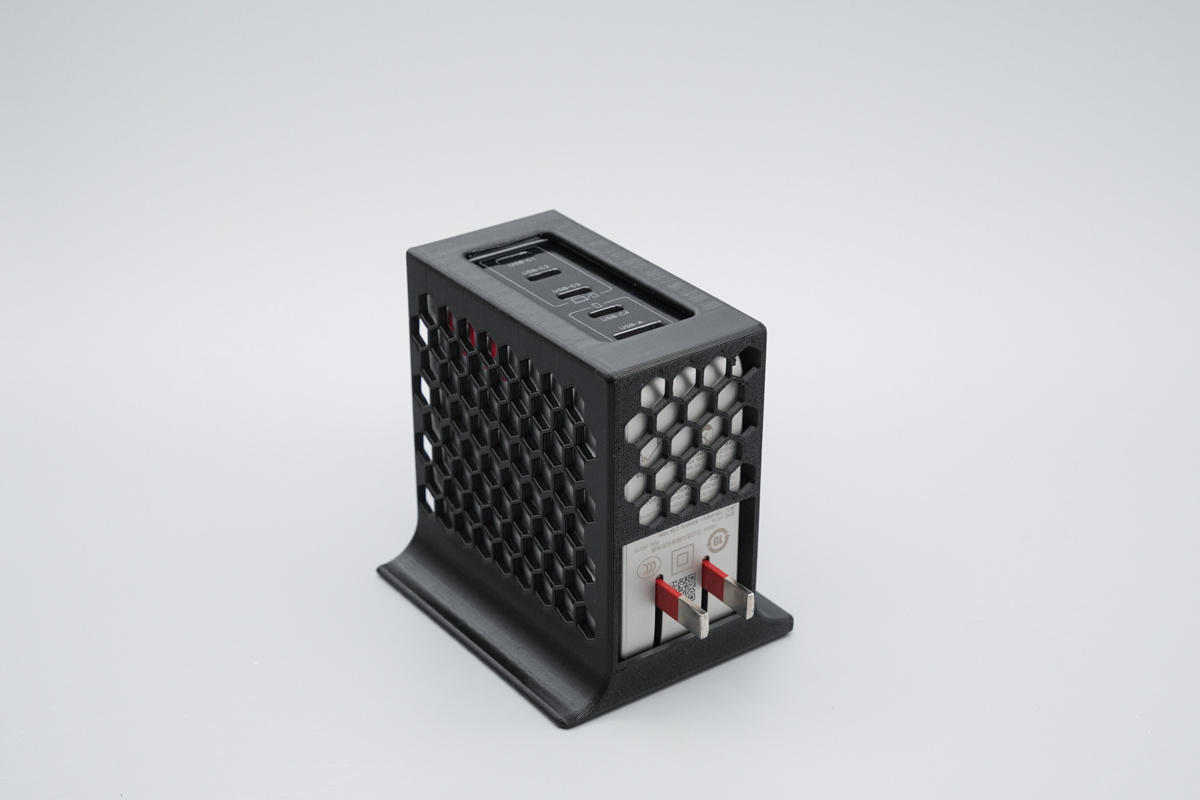
A 45-degree side view shows the four top ports clearly. The hollow shell balances cooling and protection. Viewed from the front, the charger sits inside the 3D-printed stand with the front power logo fully visible; the overall shape is neat and tidy.
From a rear three-quarter angle, the honeycomb shell exposes the charger’s prongs and bottom certification labels, making the cooling structure obvious. The fit is tight enough to hold the charger securely but loose enough for easy removal. There are no sharp edges or loose tolerances in the printed part. The design also keeps the charger’s ports oriented upward, which is a small detail that pays off in daily cable management.
Installation: Three Steps and One Safety Note
Before installation, you need a two-hole AC extension power cord. For safe use, choose a cable with 3C certification or an equivalent safety mark. Step one: unfold the charger’s folding prongs so they are ready for alignment.
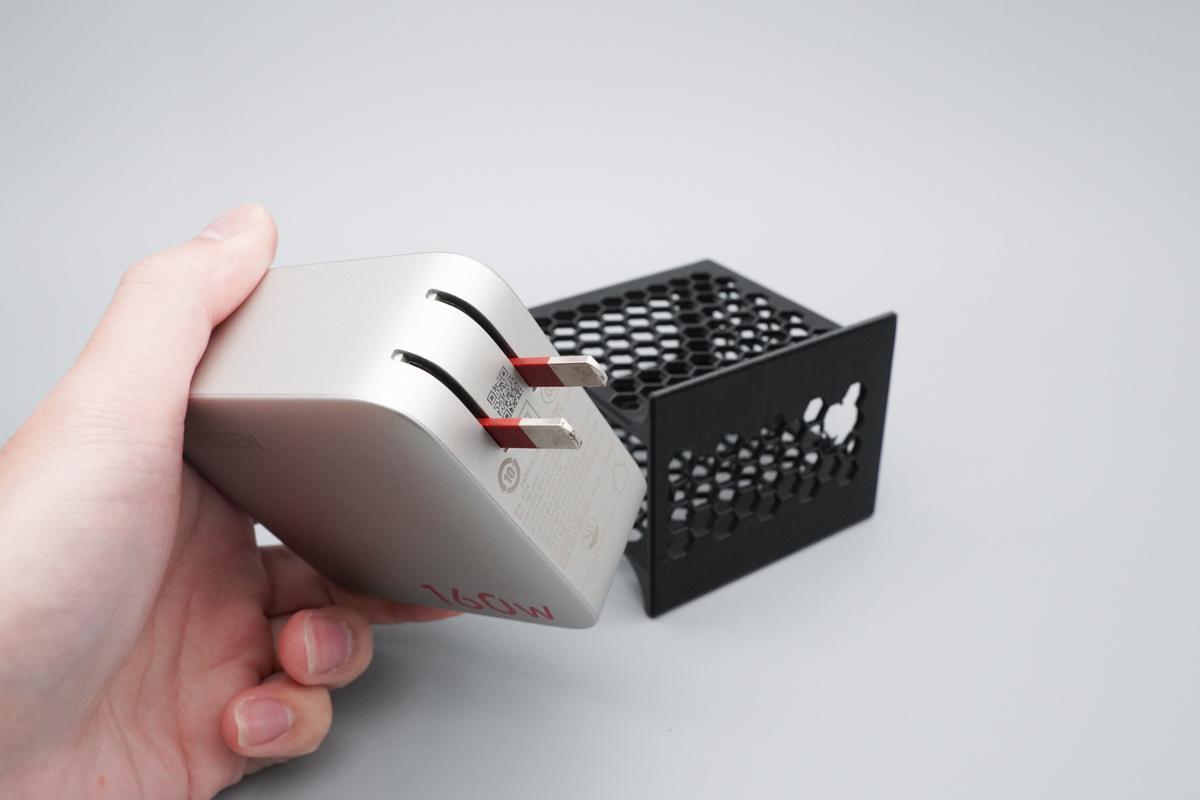
Step two: align the charger with the stand’s inner cavity and push it in steadily to secure the main body. Step three: connect the AC extension cord to the charger’s prongs. The complete vertical fast-charging accessory is now assembled.
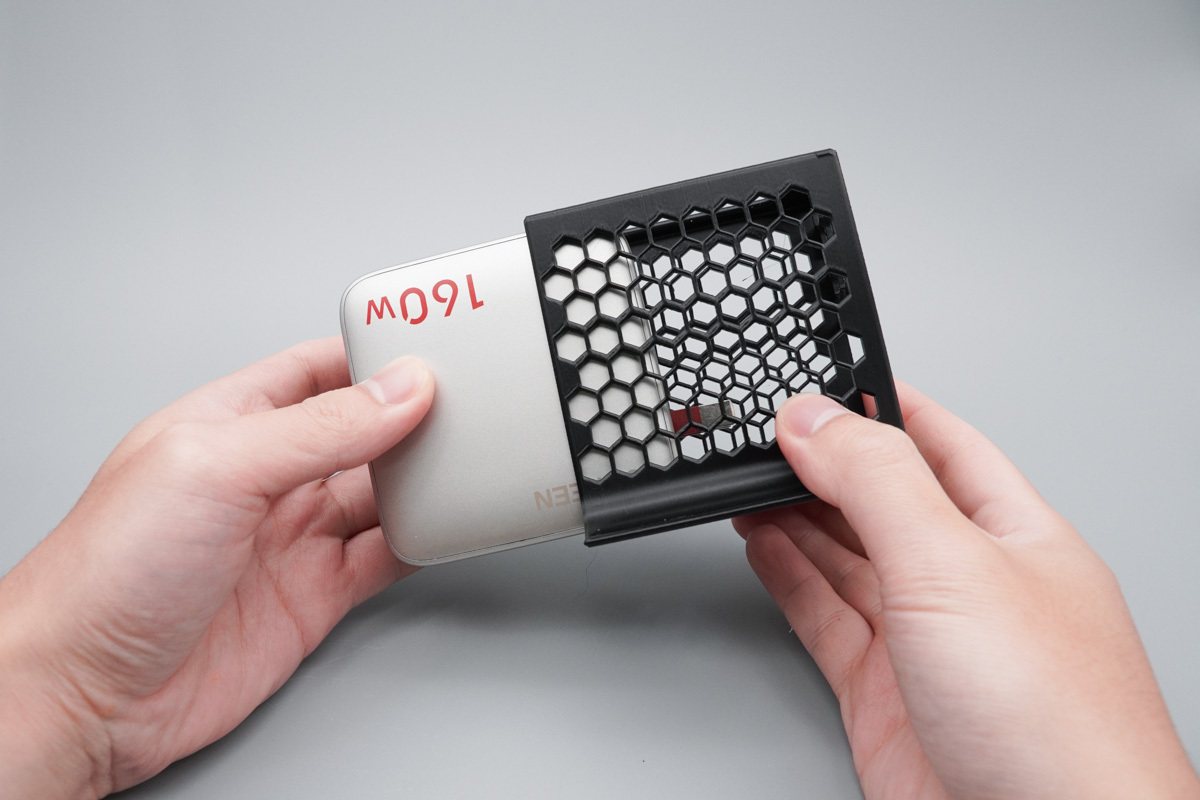
The process takes less than a minute and requires no screws, adhesives, or tools. Because the stand is mechanical only, it does not alter the charger’s electrical design or interfere with its built-in protections. It simply changes the physical orientation and improves access.
Real-World Experience: Cleaner Layout, Visible Power
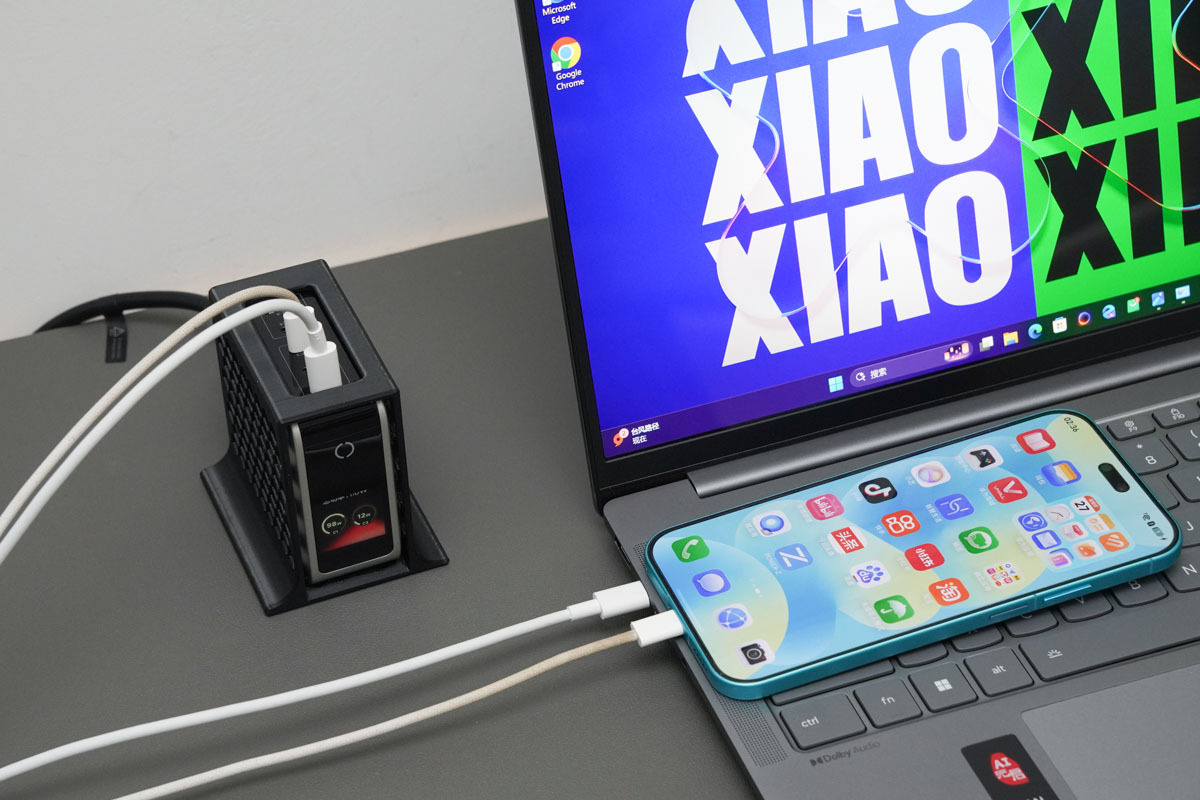
Compared with the traditional combination of a power strip plus a charger, adding this stand makes the desktop layout much cleaner. The small vertical shape does not crowd the desk, and all of the charger’s fast-charging functions remain fully intact. The user experience is not compromised in any way.
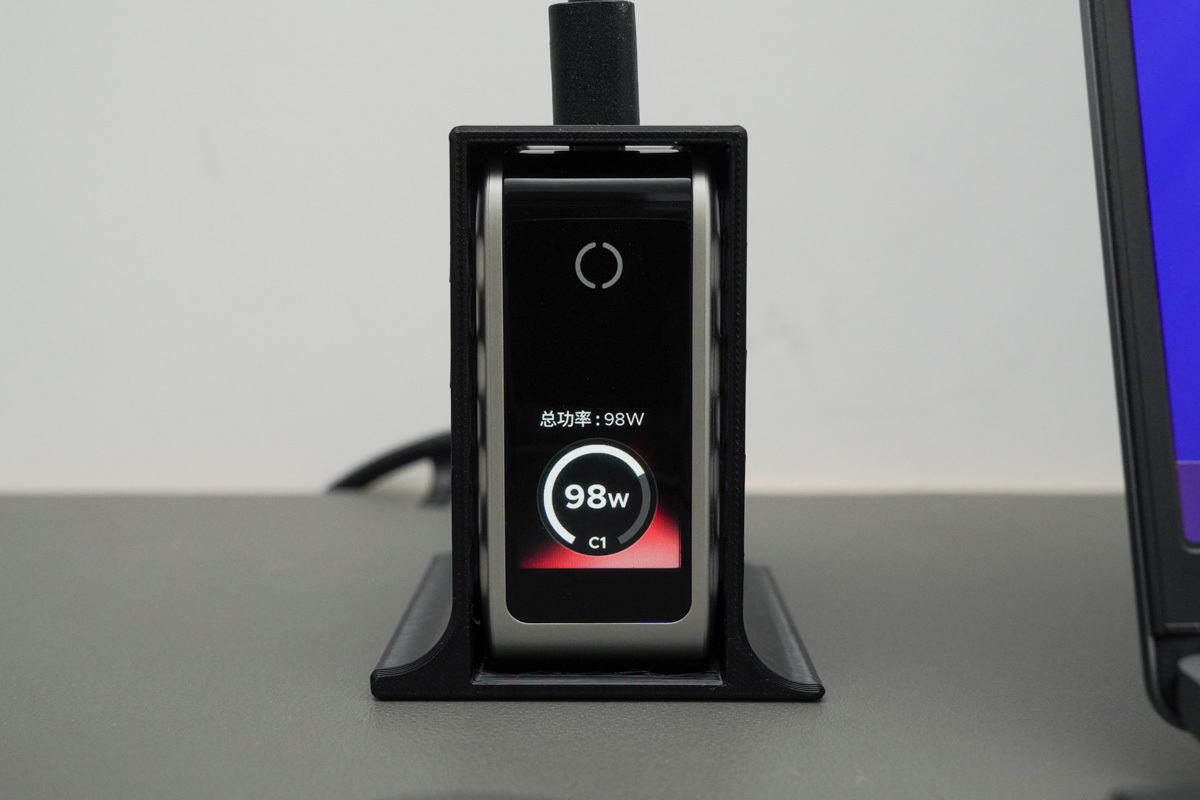
The UGREEN 160W has a built-in visual digital display. When the charger lies flat, that screen can be blocked or hard to read, and the power strip status cannot be monitored. The vertical stand solves this pain point by keeping real-time output power directly visible. With ports arranged upward, cable routing is also cleaner when multiple devices charge at once.
The charger supports a long-press touch key to rotate the screen image. Even if you change the stand’s orientation, you can still read charging data normally, giving users more freedom.
Cooling and Cable Management: The Hidden Advantages
The honeycomb design is not just for looks. High-power GaN chargers are more efficient than older silicon designs, but a four-port 160W charger can still produce meaningful heat when several devices are connected. A flat charger often sits close to the desk or power strip, limiting airflow.
The open honeycomb shell improves passive ventilation around the body. Vertical placement also exposes more surface area to ambient air than horizontal placement. This does not turn the stand into an active cooling solution, but it helps the charger breathe during long charging sessions.
The upward-facing ports are another practical benefit. Cables for a laptop, phone, tablet, and accessories can run in separate directions instead of bunching up behind a power strip. That reduces strain on connectors and makes the desk easier to tidy.
Who Should Build This Stand?
This DIY stand is ideal for owners of the UGREEN 160W screen-display GaN charger. It is also a good fit for minimalist desk users, people who monitor charging wattage, and anyone who charges multiple devices every day.
If you already own a 3D printer, the cost is very low, and the print uses a modest amount of filament. If you do not have a printer, you can still download the open-source files from MakerWorld and order a print from a local service.
The stand solves a specific set of problems: crowded outlets, a blocked display, trapped heat, and messy cables. It is not a replacement charger and does not add ports or power. It is an accessory that makes an already capable charger easier to live with.
Final Thoughts: A Lightweight DIY Upgrade Worth Printing
Desktop multi-device charging has long suffered from tight power strip sockets, tangled wires, and no easy way to see charging load. This 3D-printed vertical stand for the UGREEN 160W screen-display charger offers a lightweight DIY optimization.
The honeycomb shell keeps the total weight at just 32.4 g. While the structure remains sturdy, the open design improves the charger’s heat dissipation when it would otherwise sit in an enclosed position. The custom inner cavity fits the charger perfectly, and installation is quick and simple. With a compliant AC extension cable, it becomes a complete vertical fast-charging solution.
Vertical placement raises the screen’s viewing angle and makes full use of the built-in digital display. Thanks to screen rotation, any placement still allows real-time power monitoring. Upward ports keep laptops, phones, and other devices organized while charging. The whole modification is compact and portable, balancing storage, passive cooling, and power visualization. For users who pursue a clean desktop and care about charging load data, this is a highly practical DIY accessory.
 Samsung 60W Zero Standby Power GaN Charger (EP-T6010) Full Review & Teardown